Deduplication
The Deduplication transformation removes duplicate events from your data stream, ensuring that each unique event is processed only once. This is essential for maintaining data quality and preventing duplicate records in your ClickHouse tables.
How It Works
Deduplication in GlassFlow uses a key-value store (BadgerDB ) to track unique event identifiers. The process works as follows:
Internal Process
- Message Consumption: Messages are read from the ingestor output stream in batches
- Duplicate Detection: Each message’s unique identifier (specified by
id_field) is checked against the deduplication store - Filtering: Messages with identifiers that already exist in the store are filtered out as duplicates
- Storage: Unique messages have their identifiers stored in the deduplication store
- Forwarding: Only unique messages are forwarded to the downstream component (sink or join)
Time Window
The deduplication store maintains entries for a configurable time window. After the time window expires, entries are automatically evicted from the store. This means:
- Events with the same ID that arrive within the time window are considered duplicates
- Events with the same ID that arrive after the time window expires are treated as new events
- The time window prevents the deduplication store from growing indefinitely
Atomic Transactions
Deduplication uses atomic transactions to ensure data consistency:
- When processing a batch, all deduplication checks and store updates happen within a single transaction
- If processing fails, the transaction is not committed, ensuring no duplicate keys are saved
- This prevents duplicate events from being produced even during processing failures
- Messages are only acknowledged after successful deduplication and forwarding
For more details on how deduplication handles failures, see the Data Flow documentation.
Configuration
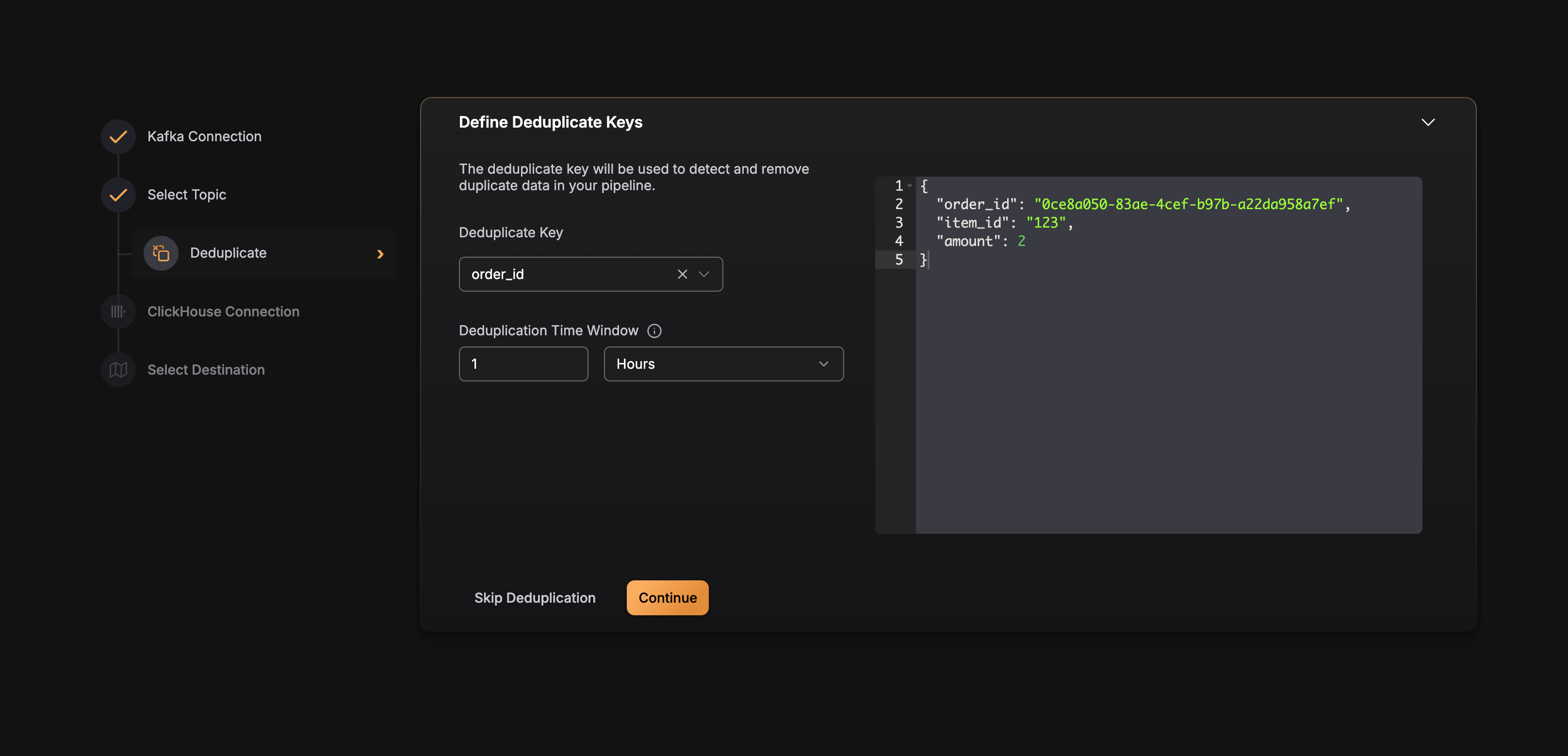
Deduplication is configured per Kafka topic in the pipeline configuration. Here’s the configuration structure:
Best Practices
Choosing an ID Field
- Use a truly unique identifier: The
id_fieldshould be unique across all events (e.g., UUID, transaction ID, event ID) - Avoid timestamps: Timestamps are not unique and should not be used as the deduplication key
- Consider composite keys: If no single field is unique, consider creating a composite key in your data
Setting Time Windows
The maximum supported time_window value is 7 days (168h).
- Match your use case: Set the time window based on how long duplicates might arrive (e.g., retry windows, network delays)
- Balance memory and coverage: Longer windows use more memory but catch duplicates over longer periods
- Consider event frequency: For high-frequency events, shorter windows may be sufficient
Performance Considerations
- Batch processing: Deduplication processes messages in batches for efficiency
- Memory usage: The deduplication store size depends on the number of unique IDs within the time window
- Storage location: The BadgerDB store is persisted to disk, ensuring deduplication state survives restarts
Example Configuration
Here’s a complete example of a pipeline with deduplication enabled:
{
  "version": "v2",
  "pipeline_id": "deduplicated-pipeline",
  "name": "Deduplicated Events Pipeline",
  "source": {
    "type": "kafka",
    "connection_params": {
      ...
    },
    "topics": [
      {
        "name": "user-events",
        "consumer_group_initial_offset": "latest",
        "replicas": 1,
        "deduplication": {
          "enabled": true,
          "id_field": "event_id",
          "id_field_type": "string",
          "time_window": "24h"
        }
      }
    ]
  },
  "sink": {
    "type": "clickhouse",
    ...
  }
}