Filter
The Filter transformation allows you to selectively keep events based on configurable expressions. Events where the filter expression evaluates to true pass through and continue to be processed. Events where the expression evaluates to false are dropped and not processed further.
Breaking change: In versions previous to 3.0.0, the filter expression defined a drop condition, events matching the expression were discarded. Starting with the current release, the filter expression defines a keep condition, events matching the expression pass through. If you are upgrading, you need to invert your existing filter expressions (for example, change status == 'error' to status != 'error' if your intent was to drop errors).
How It Works
Filtering in GlassFlow runs in the Transform stage (Stage 3), the same stage as deduplication and stateless transformations. Events are read from NATS JetStream and evaluated against the filter expression before deduplication or stateless transforms run. The filter uses expression-based evaluation to determine whether an event should continue through the pipeline.
Internal Process
- Event Reception: Events are read from NATS JetStream (after the Ingestor stage)
- Expression Evaluation: Each event is evaluated against the configured filter expression
- Filtering Decision:
- If the expression evaluates to
true, the event passes through to the rest of the pipeline - If the expression evaluates to
false, the event is dropped and not processed further
- If the expression evaluates to
- Processing: Only events where the expression evaluated to
truecontinue through the pipeline (deduplication, stateless transformations, join, sink)
Expression Language
GlassFlow uses the expr expression language for filter expressions. This provides a simple, safe way to evaluate conditions on your event data.
Key Features:
- Field-based evaluation using event field names
- Support for common comparison operators (
==,!=,>,<,>=,<=) - Logical operators (
and,or,not) - Type-safe evaluation based on field types
Configuration
Filter is configured at the pipeline level. The expression field defines the keep condition: events for which the expression evaluates to true pass through, and events for which it evaluates to false are discarded.
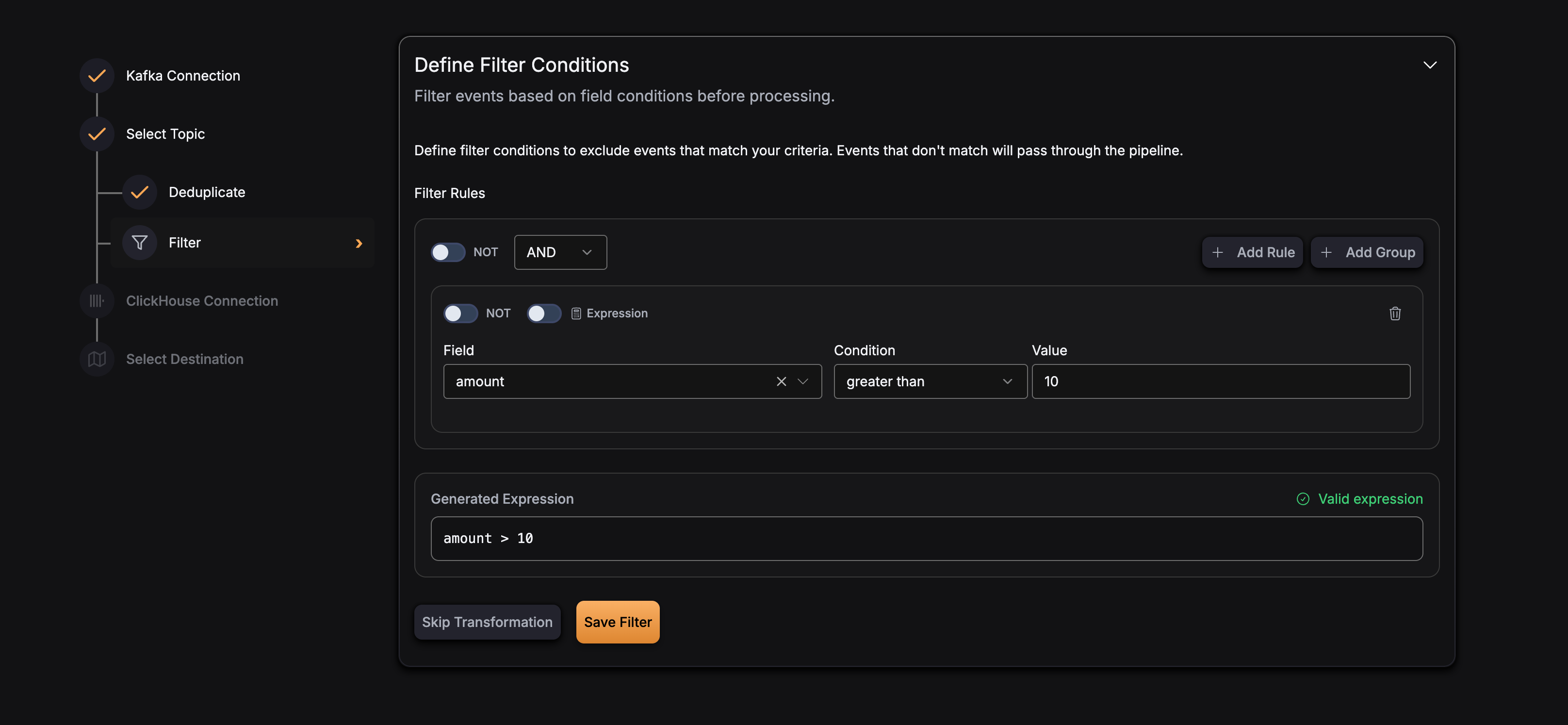
Expression Syntax
Filter expressions use field names from your event schema and support the following operations:
Comparison Operators
==- Equality!=- Inequality>- Greater than<- Less than>=- Greater than or equal<=- Less than or equal
Logical Operators
and- Logical ANDor- Logical ORnot- Logical NOT
Examples
The filter expression defines the keep condition. When the expression evaluates to true, the event passes through. When it evaluates to false, the event is dropped. Write your expression to match the events you want to keep.
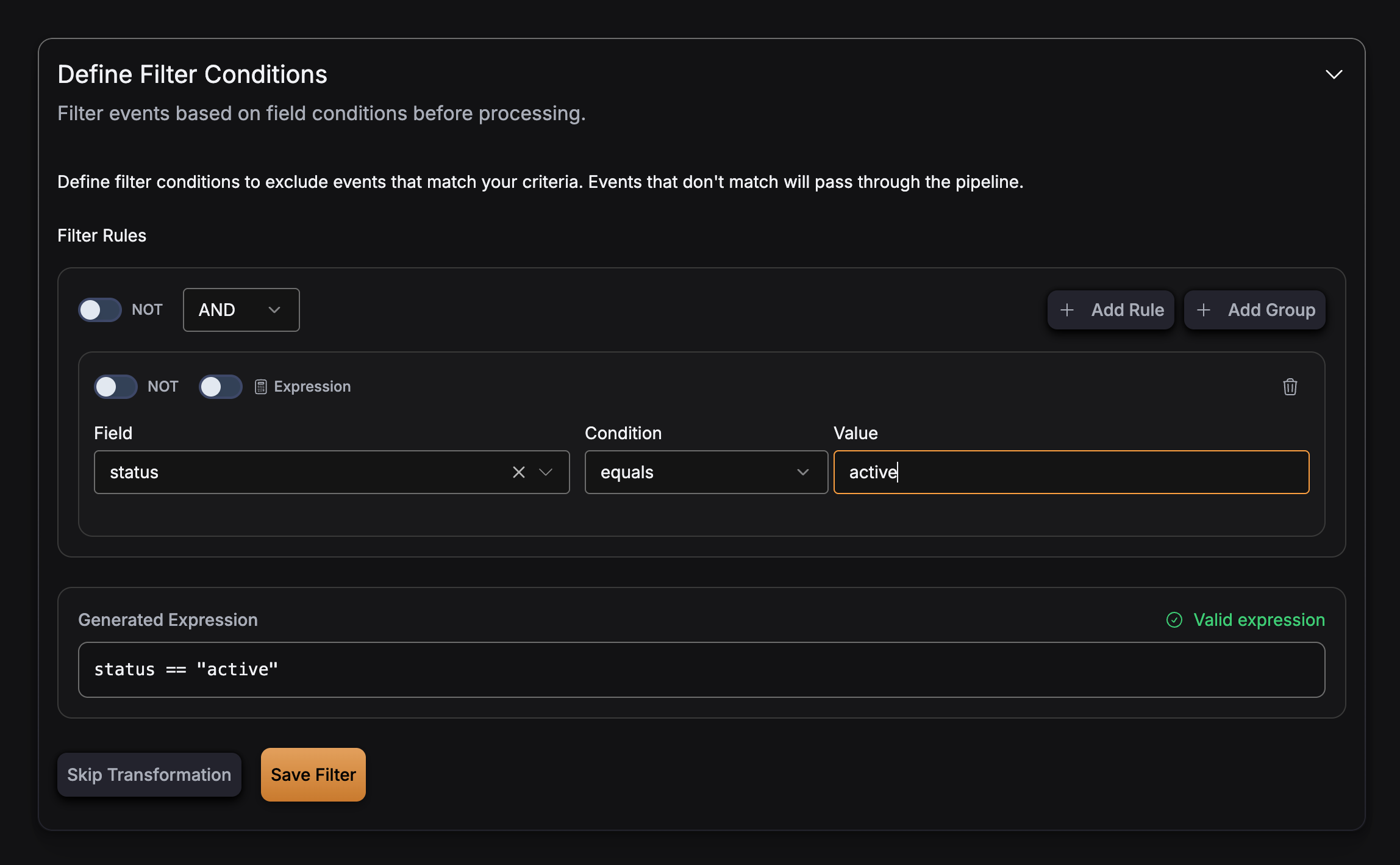
Keep only events where status equals 'active' (string comparison):
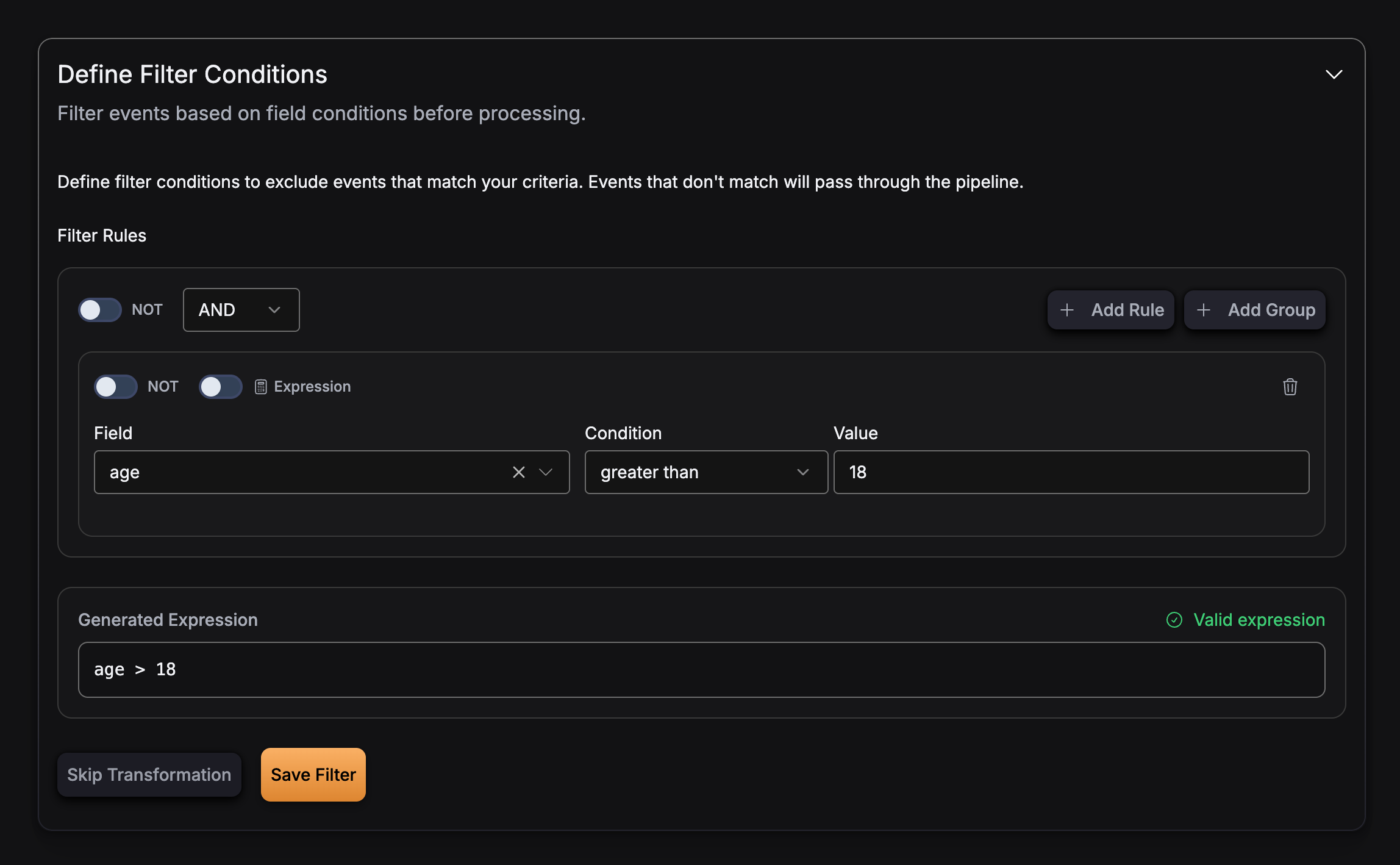
Keep only events where age is greater than 18 (numeric comparison):
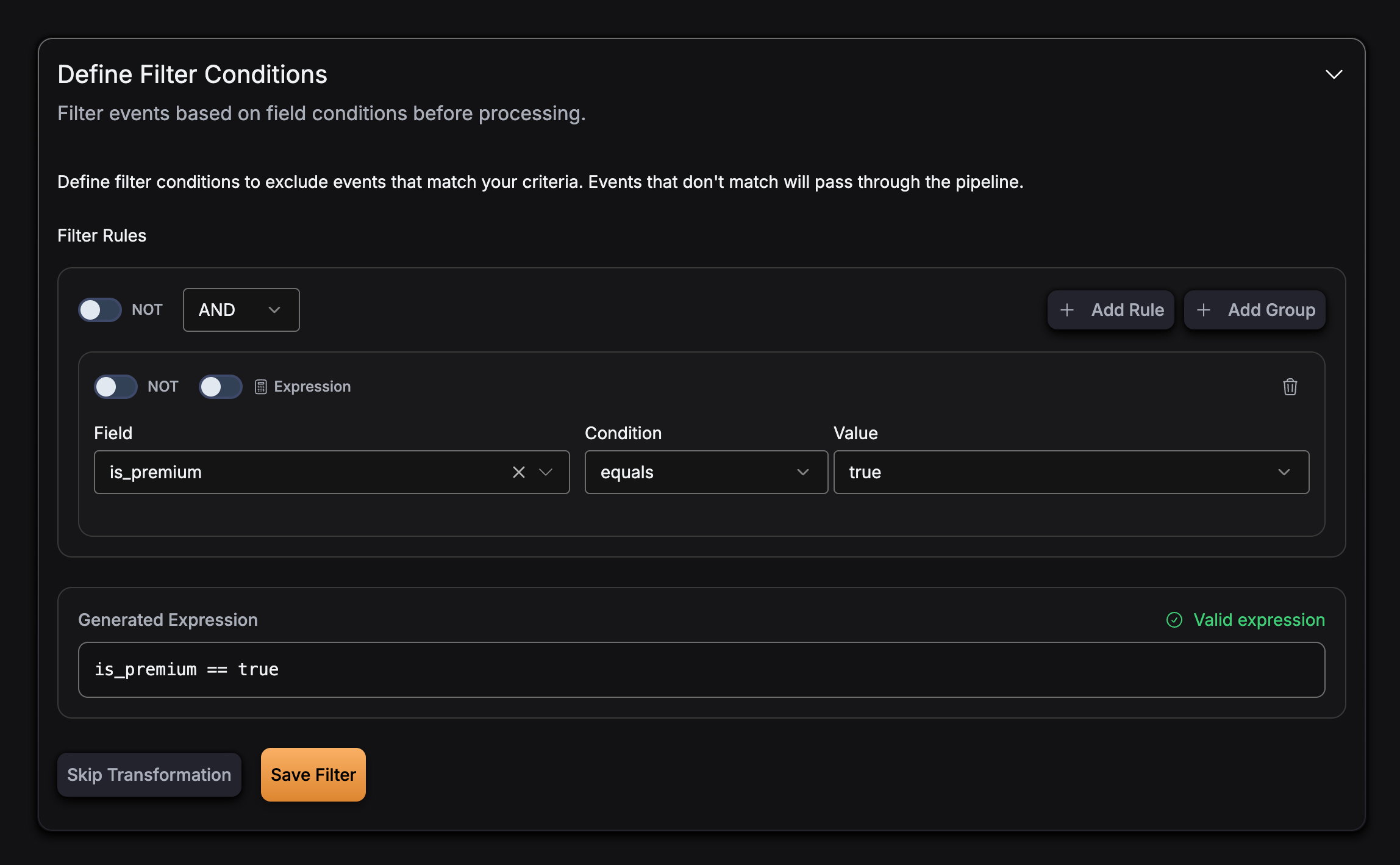
Keep only events where is_premium is true (boolean field):
Keep only events matching multiple conditions with AND:
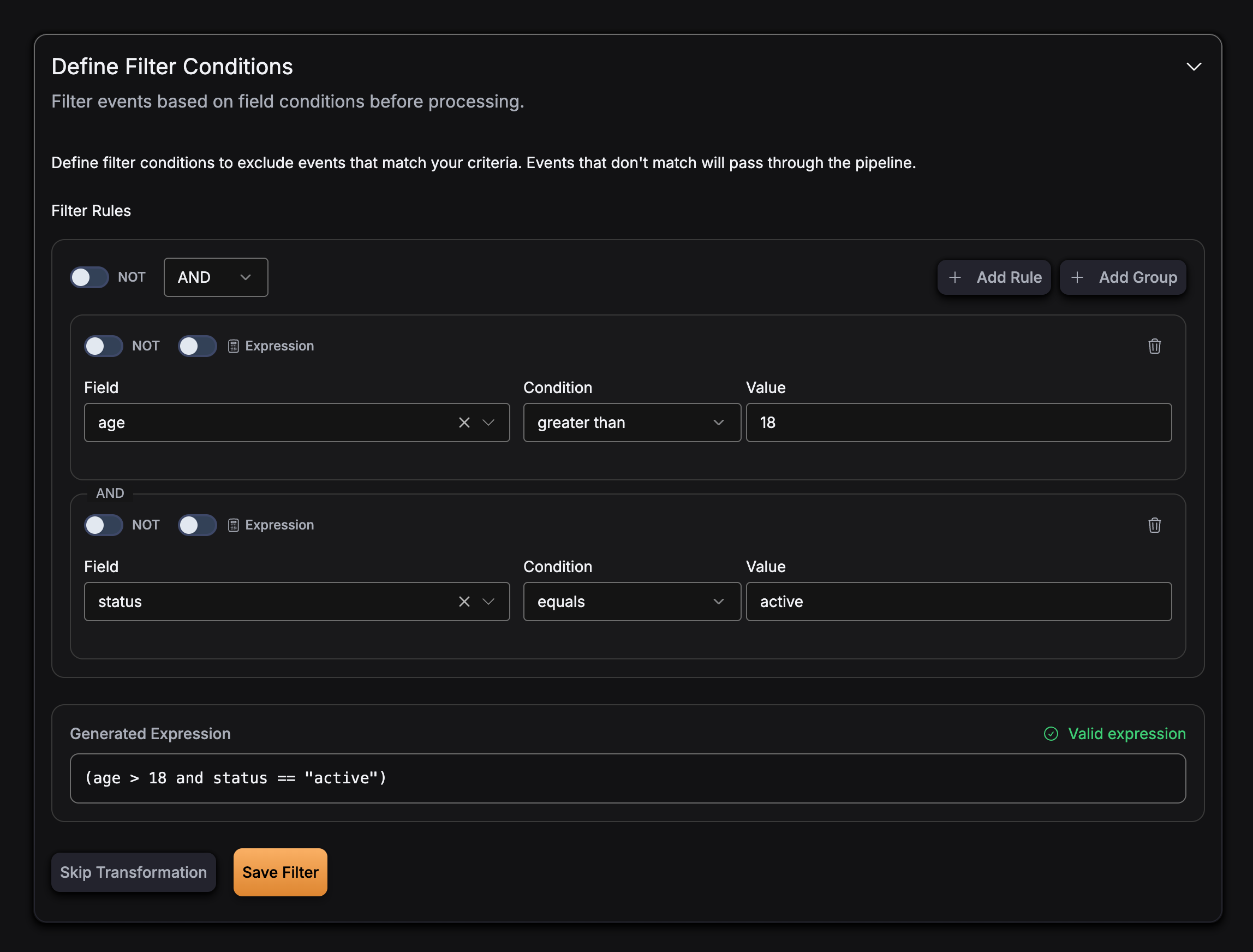
Keep events matching any condition with OR:
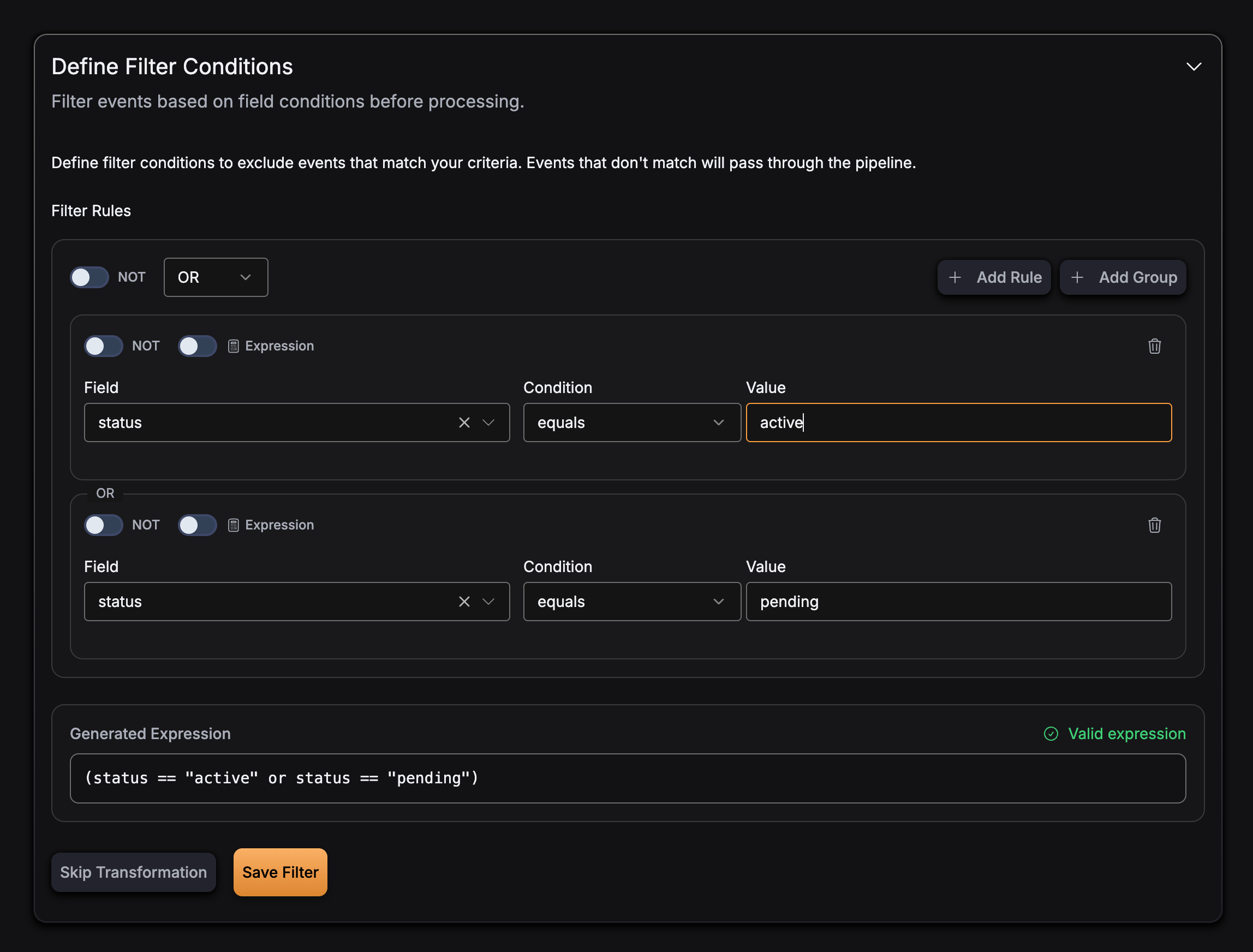
Keep events matching a complex expression with parentheses:
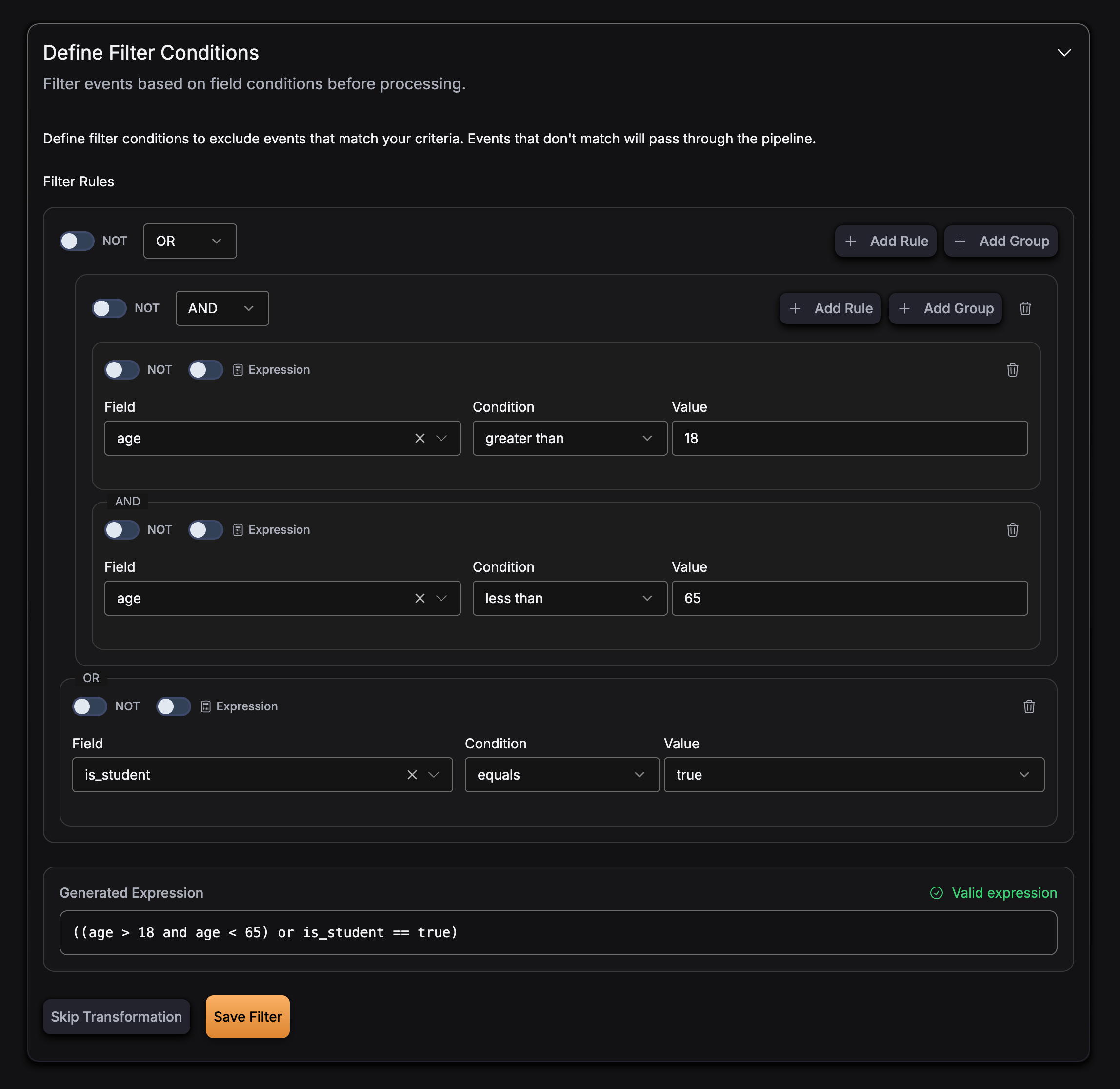
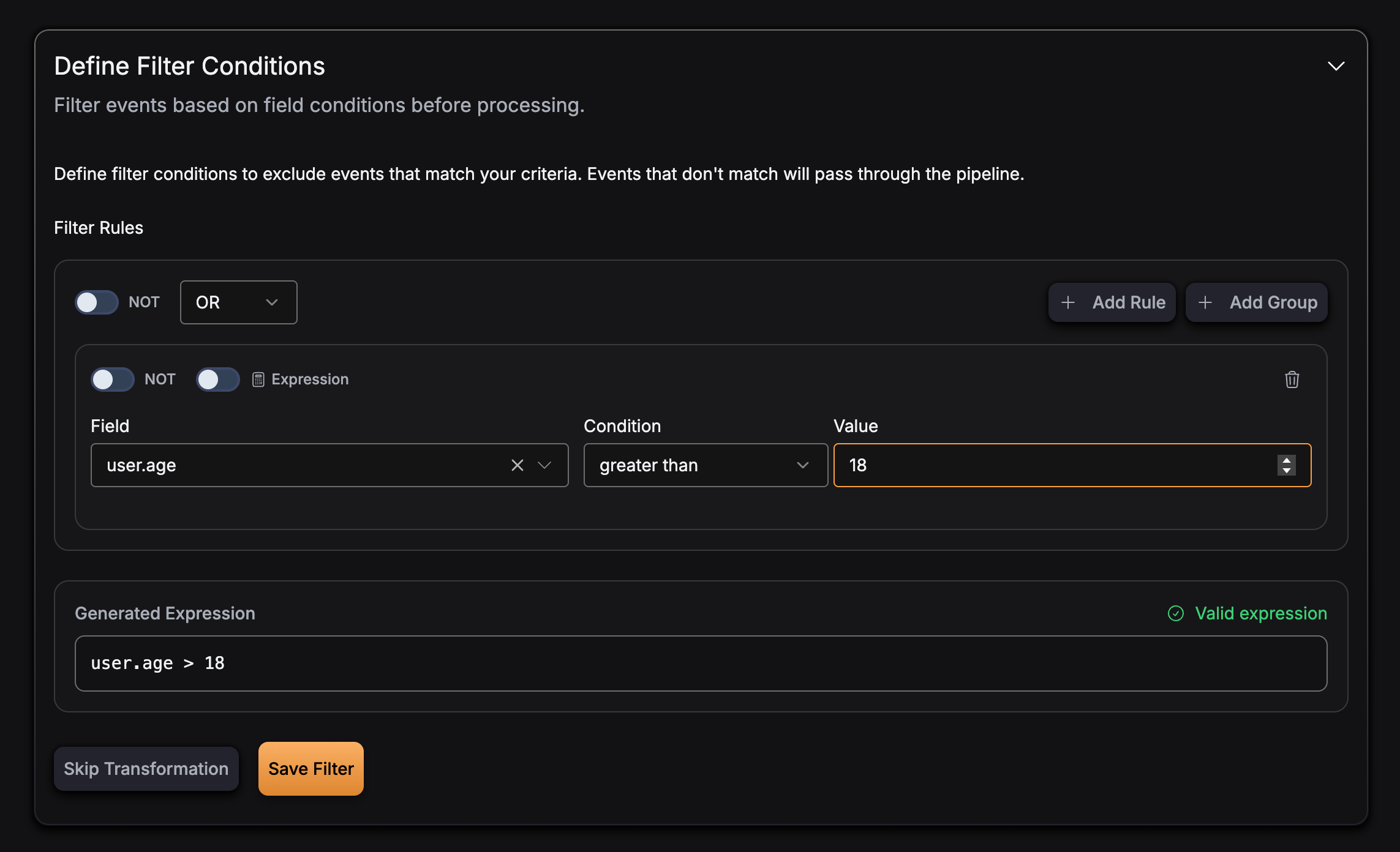
Keep only events using nested field access:
Best Practices
Expression Design
- Write keep conditions: The expression defines what to keep. For example, to keep only active users, write
status == 'active'. - Keep expressions simple: Complex expressions can be harder to maintain and debug
- Use parentheses: Explicitly group conditions with parentheses for clarity
- Test expressions: Validate filter expressions before deploying to production
Field Names
- Use exact field names: Field names in expressions must match exactly with your event schema
- Case sensitivity: Field names are case-sensitive
- Nested fields: Use dot notation for nested fields (e.g.,
user.age)
Type Safety
- Match field types: Ensure comparison values match the field types in your schema
- String literals: Use single quotes for string literals in expressions
- Numeric values: Use numeric literals without quotes for numeric comparisons
- Boolean values: Use
trueorfalse(lowercase) for boolean comparisons
Example Configuration
Here’s a complete example of a pipeline with filtering enabled. In this example, only events where age > 18 and status == 'active' pass through to ClickHouse. Events that do not meet both conditions are dropped.
YAML
version: v3
pipeline_id: filtered-pipeline
name: Filtered Events Pipeline
sources:
- type: kafka
source_id: user-events
connection_params:
brokers:
- "kafka:9092"
protocol: PLAINTEXT
mechanism: NO_AUTH
topic: user-events
consumer_group_initial_offset: latest
schema_fields:
- name: age
type: int
- name: status
type: string
transforms:
  - type: filter
    source_id: user-events
    config:
      expression: "age > 18 and status == 'active'"
sink:
type: clickhouse
connection_params:
host: clickhouse.example.com
port: "9000"
database: default
username: default
password: mysecret
secure: false
table: active_users
max_batch_size: 1000
max_delay_time: 1s
mapping:
- name: age
column_name: age
column_type: Int32
- name: status
column_name: status
column_type: String