Scaling Guide
GlassFlow pipelines run on Kubernetes. Each pipeline has three processing components, ingestor, transform, and sink, with NATS JetStream as the internal message buffer between stages. You scale a pipeline by adjusting replica counts and CPU/memory resources for each component. This page explains what drives throughput, how to configure it, and what values to use for common target rates.
Scaling factors
Component replicas
Each of the three pipeline components runs as an independent Kubernetes deployment. Adding replicas increases the parallelism of that stage:
- Ingestor: more replicas consume more Kafka partitions in parallel. Replicas must not exceed the partition count of the source topic.
- Transform: more replicas process messages from the NATS buffer in parallel.
- Sink: more replicas write batches to ClickHouse in parallel.
Throughput scales roughly linearly with replica count when the component is the bottleneck and enough upstream capacity exists. Before adding replicas, use metrics to confirm which component is actually constrained.
CPU and memory per component
The default Helm values are sufficient for most workloads up to ~120 MB/s combined across all pipelines on the cluster. At higher throughput targets, per-replica resource limits may need to increase to avoid CPU throttling or OOM kills on the sink (which holds batch buffers in memory).
NATS JetStream
NATS is the internal buffer between pipeline stages. At low replica counts it is not the bottleneck, but as you add ingestor and transform replicas, NATS I/O becomes the limiting factor. NATS runs as a separate cluster; its size is set at the Helm level (cluster-wide), not per-pipeline. The benchmark that achieved ~765 MB/s at 10 ingestor replicas required 9 NATS nodes at 8 CPU / 8 Gi RAM each. Scale NATS nodes proportionally when pushing beyond the default tier.
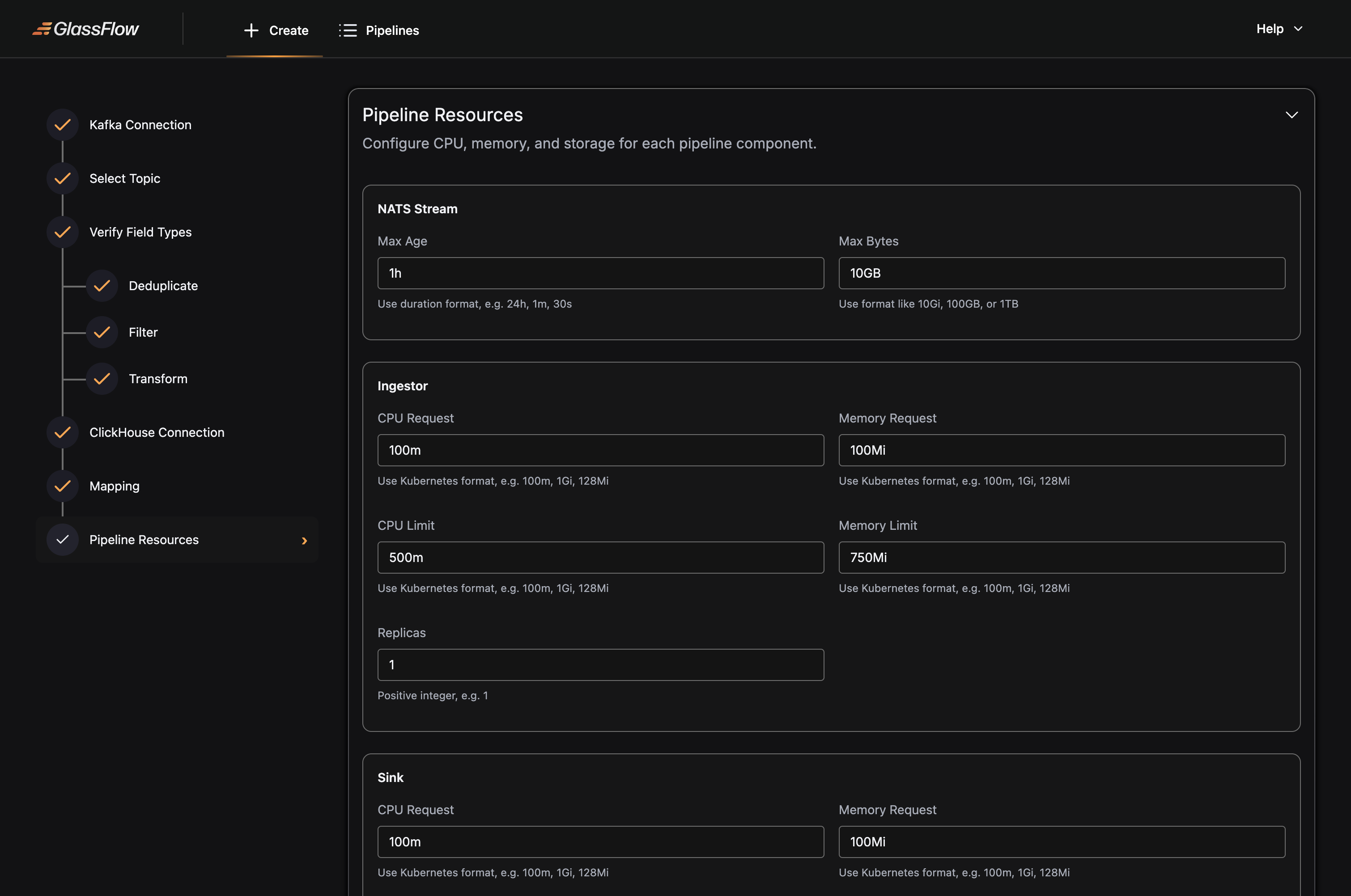
Per-pipeline NATS stream settings (retention window and maximum byte size) are configured in the pipeline JSON.
Kafka topic partition count
The ingestor assigns one replica per Kafka partition. You cannot have more active ingestor replicas than partitions on the consumed topic, extra replicas sit idle. If you need more ingestor replicas, increase the Kafka topic’s partition count first.
Per-component scaling behaviour
Each component has a different internal concurrency model, which determines whether increasing CPU per replica improves throughput or not.
| Component | Scales via replicas | Scales via CPU per replica | Internal model |
|---|---|---|---|
| Ingestor | Yes | No | Sequential (or async I/O futures), I/O-bound |
| Transform | Yes | No | Sequential for loop over batch messages |
| Sink | Yes | Yes | Worker pool: GOMAXPROCS - 2 parallel workers |
The sink is the only component with a multi-threaded intra-replica design. All other components are single-threaded within a replica, their throughput scales only by adding more replicas, not by giving each replica more CPU.
Sink intra-replica worker pool
Within each sink pod, message preparation (JSON parsing, schema mapping, value conversion) is parallelized across a worker pool. The pool size is set automatically at startup:
workerPoolSize = GOMAXPROCS - 2 (minimum 1)GOMAXPROCS reflects the CPU limit set on the pod. A sink pod with a 5 CPU limit runs 3 parallel workers; a pod with a 2 CPU limit runs 1 worker. Each batch fetch from NATS also pulls maxBatchSize × workerPoolSize messages in one request, so more workers increases both processing parallelism and fetch volume per cycle.
In practice: sink CPU allocation has a direct, predictable impact on per-replica throughput. This is why the performance benchmark used 5 CPU per sink replica while ingestors needed only 1 CPU each, more CPU on the ingestor would not have increased its throughput.
Sink replica-level parallelism
Each sink replica is assigned a dedicated NATS JetStream stream identified by its pod index ({stream_prefix}_{pod_index}). Every replica has an independent read path from NATS and an independent write connection to ClickHouse with no coordination between replicas.
Sizing the sink
When targeting higher throughput:
- Scale replicas first: each replica adds an independent write path.
- Increase CPU per replica: each CPU beyond 2 adds one more parallel worker. The benchmark used 5 CPU per sink replica (3 workers), which matched the ingestor throughput at 10 replicas.
- Match NATS streams: the operator creates one NATS stream per sink replica. Ensure NATS has enough nodes to serve all streams without leader imbalance (see Identifying the bottleneck).
How to configure
The following example sets 2 replicas on every component with explicit CPU and memory bounds, and configures the NATS stream to retain up to 25 GB or 24 hours of data:
Sizing scenarios
The scenarios below use 1.5 KB as the average record size. MB/s figures are derived from that assumption.
The default Helm values are designed for 2 pipelines running at a combined 50–80k rps (~75–120 MB/s). If your pipelines fit within that envelope, no per-pipeline overrides are needed.
Scenario A, Default (up to ~80k rps / ~120 MB/s)
Use the Helm defaults. No per-pipeline resource overrides are required. These values are validated for two full pipelines (with transform) running simultaneously at a combined ~75–120 MB/s.
| Component | Replicas | CPU request / limit | RAM request / limit |
|---|---|---|---|
| Ingestor | 2 | 1000m / 1500m | 1Gi / 1.5Gi |
| Transform | 2 | 1000m / 1500m | 1Gi / 2Gi |
| Sink | 2 | 1000m / 1500m | 1Gi / 1.5Gi |
| NATS (per node, 3 nodes) | N/A | 500m / 1000m | 2Gi / 4Gi |
Kafka topic partition count: 2 or more per topic.
NATS fileStore PVC: 100 Gi per node (Helm default).
Scenario B, ~510k rps (~765 MB/s)
| Component | Replicas | CPU request / limit | RAM request / limit |
|---|---|---|---|
| Ingestor | 10 | 1000m / 1000m | 512Mi / 512Mi |
| Transform | N/A | N/A | N/A |
| Sink | 10 | 5000m / 5000m | 5Gi / 5Gi |
| NATS (per node, 9 nodes) | N/A | 8000m / 8000m | 8Gi / 8Gi |
Kafka topic partition count: 50 (at least equal to the ingestor replica count).
NATS fileStore PVC: 100 Gi per node.
Why sink CPU is higher than ingestor: each sink replica runs an internal worker pool sized to GOMAXPROCS - 2. At 5 CPUs, each replica runs 3 parallel workers processing JSON parsing and schema mapping. This is the primary CPU consumer in the sink; reducing CPU below 3 will drop the worker count to 1 and significantly reduce per-replica throughput. See Sink horizontal scaling for details.
Constraints
Ingestor replicas must not exceed Kafka topic partition count. Extra replicas beyond the partition count sit idle and consume cluster resources without contributing throughput. Increase partition count first when scaling the ingestor.
Transform replicas cannot be changed after pipeline creation when deduplication is enabled. Decide on your transform replica count before enabling deduplication. To change it, you must delete and recreate the pipeline.
Join stage is always 1 replica. The join component cannot be scaled horizontally. To handle more load in join pipelines, scale the left and right ingestors (up to their respective topic partition counts) and scale the sink. For very high throughput, split the workload across multiple join pipelines partitioned by key range or filter.
Identifying the bottleneck
Adding replicas to the wrong component wastes resources without improving throughput. Before scaling, use metrics to determine which component is saturated:
- Ingestor lag rising: the ingestor cannot keep up with Kafka. Add ingestor replicas (and Kafka partitions if needed).
- NATS backpressure or buffer full: the transform cannot drain the buffer. Add transform replicas, or increase NATS stream
maxBytesif messages are being dropped. - Sink write latency rising: ClickHouse insert throughput is the ceiling. Add sink replicas, or tune ClickHouse insert settings.
- NATS CPU or memory saturated: scale NATS node count and per-node resources. This is the typical constraint above ~10 ingestor replicas.
Scale one component at a time and re-measure after each change.